
登陆甲骨文后台打开实例
找到子网点击进去
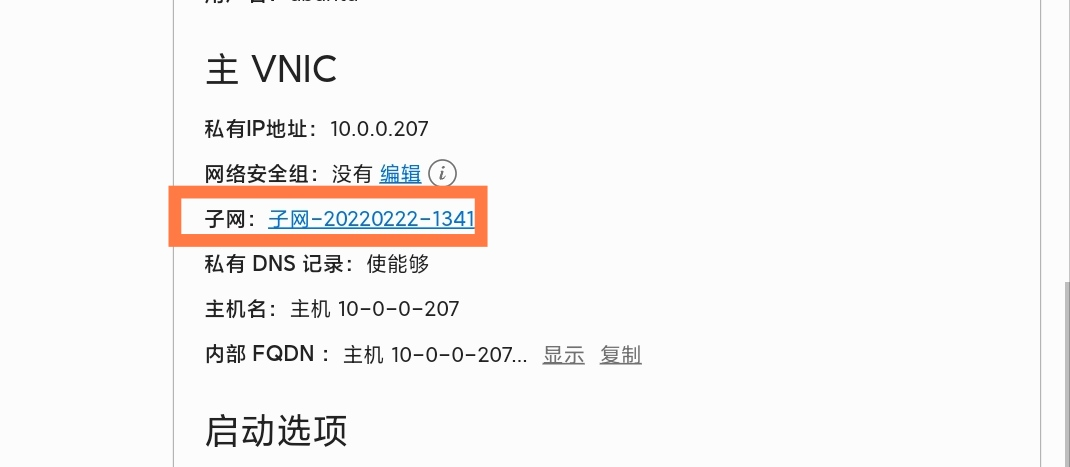
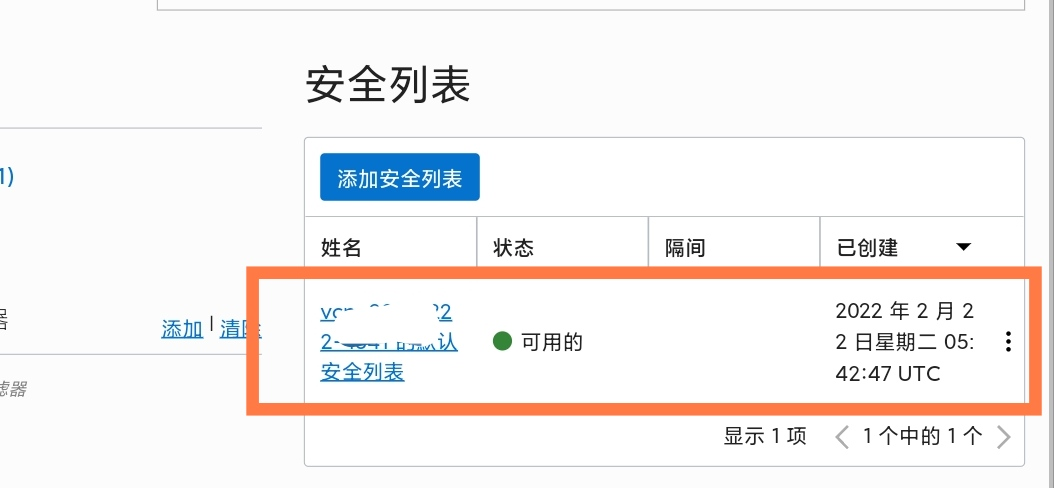
点击进去安全组
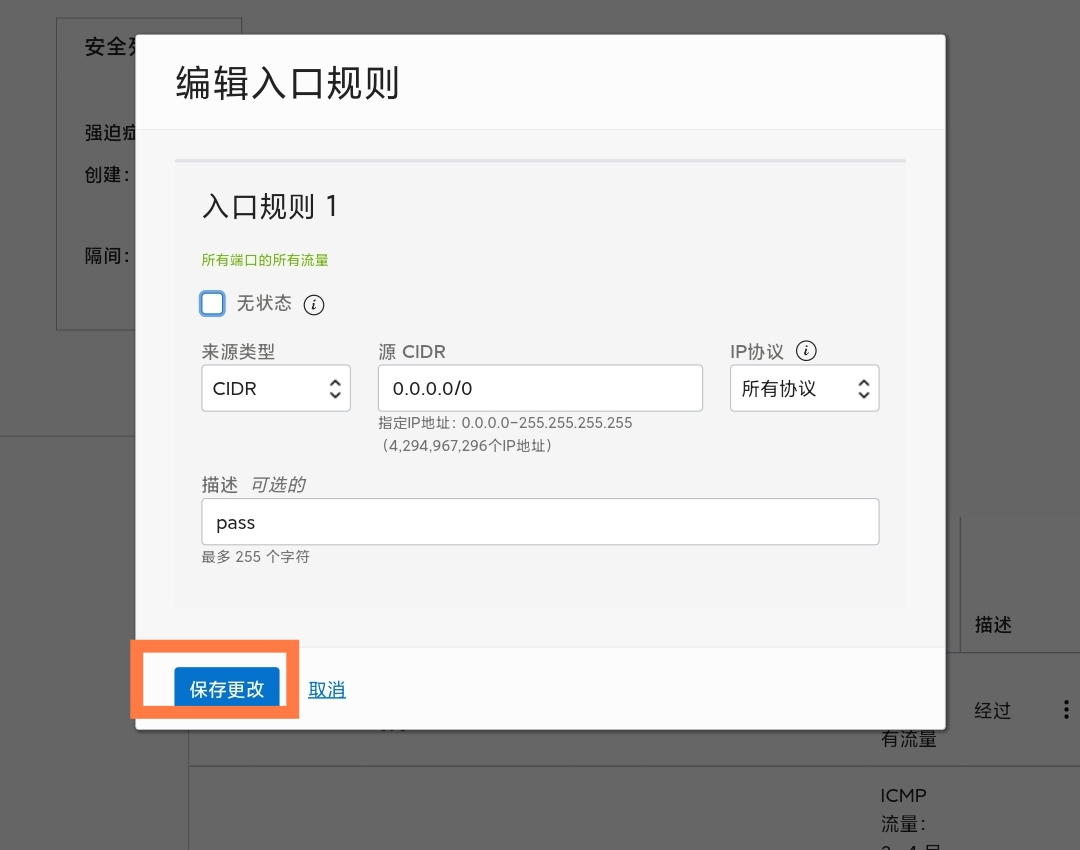
修改安全组,为图描述选项随意!
一、Ubuntu系统
1、开放所有端口
iptables -P INPUT ACCEPT
iptables -P FORWARD ACCEPT
iptables -P OUTPUT ACCEPT
iptables -F
2、关闭或强制删除防火墙
apt-get purge netfilter-persistent && reboot
或 rm -rf /etc/iptables && reboot
二、Centos系统
1、删除多余附件
systemctl stop oracle-cloud-agent
systemctl disable oracle-cloud-agent
systemctl stop oracle-cloud-agent-updater
systemctl disable oracle-cloud-agent-updater
2、停止firewall并禁止自启动
systemctl stop firewalld.service
systemctl disable firewalld.service
声明:本站所有文章,如无特殊说明或标注,均为本站原创发布。任何个人或组织,在未征得本站同意时,禁止复制、盗用、采集、发布本站内容到任何网站、书籍等各类媒体平台。如若本站内容侵犯了原著者的合法权益,可联系我们进行处理。

评论(0)